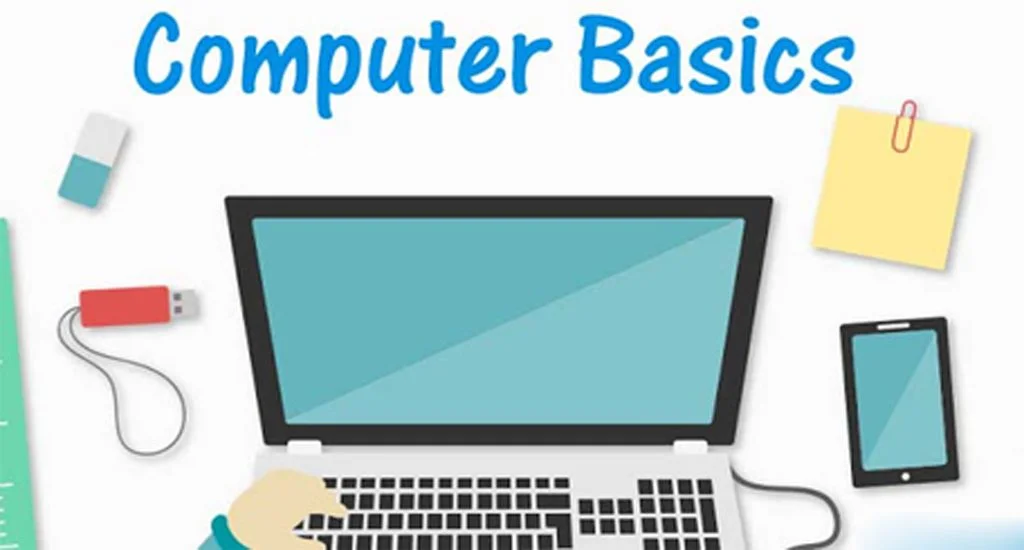
Computers have become an essential part of modern life. From education and business to communication and entertainment, computers are used everywhere. For beginners, understanding computer basics is the first step toward using technology confidently. This detailed Computer Basics guide explains fundamental computer concepts, components, software, hardware, and daily usage in simple language. It is designed for students, beginners, and anyone who wants to build a strong foundation in computer knowledge.
What Is a Computer
A computer is an electronic device that accepts input, processes data, and produces output in the form of information. Computers work based on instructions called programs or software. The main purpose of a computer is to make tasks easier, faster, and more accurate. Understanding what a computer is helps beginners learn how different computer parts and functions work together.
History and Evolution of Computers
The history of computers shows how technology has evolved over time. Early computers were large machines used mainly for calculations. Over the years, computers became smaller, faster, and more powerful. Today, we use personal computers, laptops, tablets, and smartphones. Learning computer basics also includes understanding how computers evolved to meet modern needs.
Types of Computers
There are different types of computers based on size, performance, and usage. Desktop computers are commonly used in offices and homes. Laptop computers offer portability and convenience. Tablets and smartphones are compact computers used for communication and entertainment. Supercomputers are used for scientific research and complex calculations. Knowing these computer basics helps users choose the right device.
Main Parts of a Computer
Understanding computer hardware is a key part of computer basics. The main parts of a computer include the input unit, processing unit, output unit, and storage unit. Each part has a specific role in computer operation. Together, they form a complete computer system.
Input Devices
Input devices allow users to enter data into the computer. Common input devices include keyboard, mouse, scanner, microphone, and webcam. The keyboard is used to type text and commands. The mouse helps in pointing and clicking. Learning about input devices is an important computer basics concept.
Output Devices
Output devices display the results processed by the computer. Common output devices include monitor, printer, speakers, and headphones. The monitor shows visual output, while printers produce hard copies. Speakers provide audio output. Understanding output devices helps users interact effectively with computers.
Central Processing Unit
The Central Processing Unit, or CPU, is known as the brain of the computer. It performs calculations and executes instructions. The CPU controls all operations inside the computer. Computer basics include understanding how the CPU processes data quickly and efficiently.
Computer Memory and Storage
Memory and storage are important computer basics topics. RAM, or Random Access Memory, stores temporary data while the computer is running. Hard disk drives and solid-state drives store permanent data such as files and software. Understanding the difference between memory and storage helps users manage data effectively.
Computer Software Basics
Software is a set of instructions that tells the computer what to do. Without software, hardware cannot function. Computer basics include understanding different types of software and their uses.
Types of Software
System software manages computer hardware and basic operations. Operating systems like Windows, macOS, and Linux are examples. Application software helps users perform tasks such as word processing, browsing, and gaming. Utility software helps maintain and optimize the computer. These software basics are essential for beginners.
Operating System Basics
The operating system acts as a bridge between the user and the computer hardware. It manages files, memory, devices, and security. Learning operating system basics helps users navigate computers easily and efficiently.
Computer Booting Process
Booting is the process of starting a computer. When you turn on the computer, the operating system loads into memory. Understanding the booting process is a basic computer concept that helps users troubleshoot startup issues.
Files and Folders Basics
Files are used to store data, while folders help organize files. Knowing how to create, rename, delete, and organize files and folders is an essential computer basics skill. Proper file management improves productivity and efficiency.
Computer Keyboard Basics
The keyboard is one of the most important input devices. It consists of alphanumeric keys, function keys, control keys, and numeric keypad. Learning basic keyboard functions and shortcuts improves typing speed and computer usage.
Mouse and Touchpad Basics
The mouse and touchpad help users interact with graphical interfaces. Clicking, double-clicking, right-clicking, and scrolling are basic mouse functions. Understanding these basics makes computer navigation easier.
Computer Monitor Basics
The monitor displays visual output from the computer. Screen size, resolution, and display quality affect user experience. Learning monitor basics helps users adjust settings for comfort and clarity.
Internet Basics
The internet is a global network that connects computers worldwide. Internet basics include understanding browsers, websites, search engines, and email. Learning how to use the internet safely and efficiently is an important computer basics topic.
Email Basics
Email is a common communication tool. Users can send and receive messages, attachments, and documents. Understanding email basics helps in personal and professional communication.
Computer Networking Basics
Computer networking connects multiple computers to share resources and information. Basic networking concepts include LAN, WAN, and Wi-Fi. Learning networking basics helps users understand internet connections and data sharing.
Computer Security Basics
Computer security protects systems and data from threats. Using strong passwords, antivirus software, and regular updates are basic security practices. Learning computer security basics helps prevent data loss and cyber attacks.
Computer Virus and Malware Basics
Viruses and malware are harmful programs that damage computers or steal information. Understanding how malware spreads and how to prevent it is an important computer basics lesson. Safe browsing and trusted software reduce risks.
Basic Computer Maintenance
Regular maintenance keeps computers running smoothly. Cleaning files, updating software, and restarting systems improve performance. Computer basics include simple maintenance habits that extend device life.
Computer Troubleshooting Basics
Troubleshooting involves identifying and fixing common problems. Restarting the computer, checking connections, and updating drivers solve many issues. Learning troubleshooting basics saves time and reduces frustration.
Uses of Computers
Computers are used in education, business, healthcare, banking, entertainment, and communication. Understanding different uses of computers highlights their importance in daily life and modern society.
Advantages of Computers
Computers offer speed, accuracy, storage, and automation. They help users perform tasks efficiently and manage large amounts of data. Learning computer basics includes understanding these advantages.
Limitations of Computers
Despite their benefits, computers depend on instructions and electricity. They cannot think independently. Knowing limitations helps users use computers wisely and realistically.
Computer Basics for Students
Students use computers for learning, research, and assignments. Basic computer knowledge helps students improve academic performance and digital skills.
Computer Basics for Beginners
Beginners should start with basic concepts, practice regularly, and explore features gradually. Learning computer basics builds confidence and prepares users for advanced skills.
Importance of Computer Literacy
Computer literacy is essential in today’s digital world. Basic computer knowledge improves job opportunities and communication skills. Learning computer basics is the foundation of digital literacy.
Future of Computers
Computer technology continues to evolve with artificial intelligence, cloud computing, and automation. Understanding computer basics helps users adapt to future advancements.
Conclusion
Computer basics form the foundation of digital knowledge. This Computer Basics guide explains essential concepts, components, and skills in simple language. By learning these computer basics, users can use computers confidently, safely, and efficiently in everyday life. Building a strong foundation today opens the door to advanced technology skills tomorrow.